
Altair SimSolid
Why Altair SimSolid?
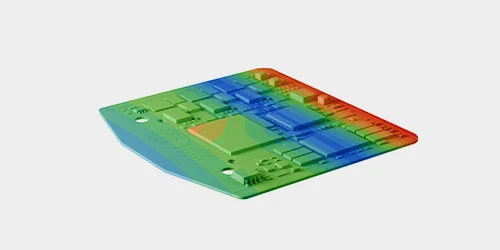
Eliminate Prep Work and Focus on Analysis
Streamline your workflow by eliminating the need for geometry simplification and meshing. SimSolid eliminates two of the most time-consuming and error-prone steps in traditional structural analysis. The CAD model serves directly as the simulation model, eliminating the need to create a separate finite element model.
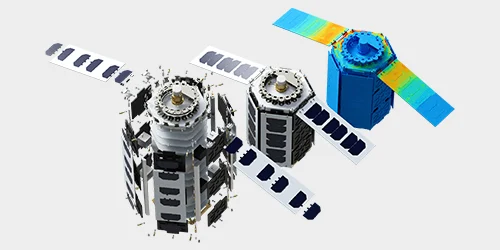
Analyze Large, Complex Assemblies with Ease
Designed for speed and scalability, SimSolid handles complex parts and large assemblies with exceptional efficiency, including those with rough contact surfaces, gaps, or overlapping geometry.
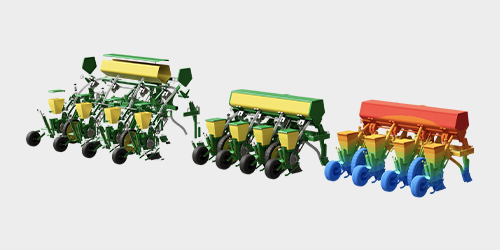
Get Results in Minutes to Seconds
SimSolid delivers accurate structural analysis results in seconds to minutes on a standard PC. Quickly compare multiple design scenarios. Improve speed, accuracy, and usability for simulation-driven design across a wide range of industries.
Key Features
Full Range of Analysis Types
SimSolid offers linear and nonlinear statics, thermal analysis, modal analysis, fatigue analysis, and stress linearization. It also supports dynamic analysis simulations, including time, frequency, global-local, buckling, composites, squeak and rattle, thermal stress, and random response, enabling fast and comprehensive structural evaluation.
Extensive Library of Connections & Materials
Supports bonded, sliding, and separating contacts with friction, along with bolts, virtual connectors, welds, rivets, adhesives, joints, and bushings. SimSolid also handles a wide range of material types, including isotropic, orthotropic, elasto-plastic, rigid materials, gas and liquid bodies.
Variety of Boundary Conditions
Simulate how a design interacts with its environment including: immovable, sliding, hinge, force, pressure, gravity, thermal, inertial loads, inertia relief, bolt/nut tightening, hydrostatic, bearing, volumetric expansion and shrinkage, distributed and remote mass, and remote loads.
Open and Interoperable with All Major CAD Systems
Supports all major CAD and PLM file formats, including CATIA, NX, PTC Creo, Inventor, Fusion 360, SOLIDWORKS, JT, STEP, VDA, Parasolid, ACIS, PLMXML, CGR, and STL without the need to import/export files. It also offers direct integration with Onshape and Teamcenter for seamless data access.
Output Data and Visualizations
View various result types using contour plots, animations, XY plots, probes, and detailed data on stress, strain, displacement, safety factors, modal frequencies, mode shapes, and participation factors. Results can be displayed across datum planes or cut sections, with support for superposition and envelope of multiple load cases.
Instant Part Classification
Import CAD models, automatically classify parts by type, and begin analysis without manual cleanup. This allows for users to streamline workflows and reduce time spent on data preparation.